
iPhone 12 iPhone 12 pro Max iPhone 13 iPhone 13 pro Max iPhone 14 iPhone 14pro Max iPhone 15 iPhone 15pro Max iPhone 16 iPhone 16pro Max Screen IC Transplant
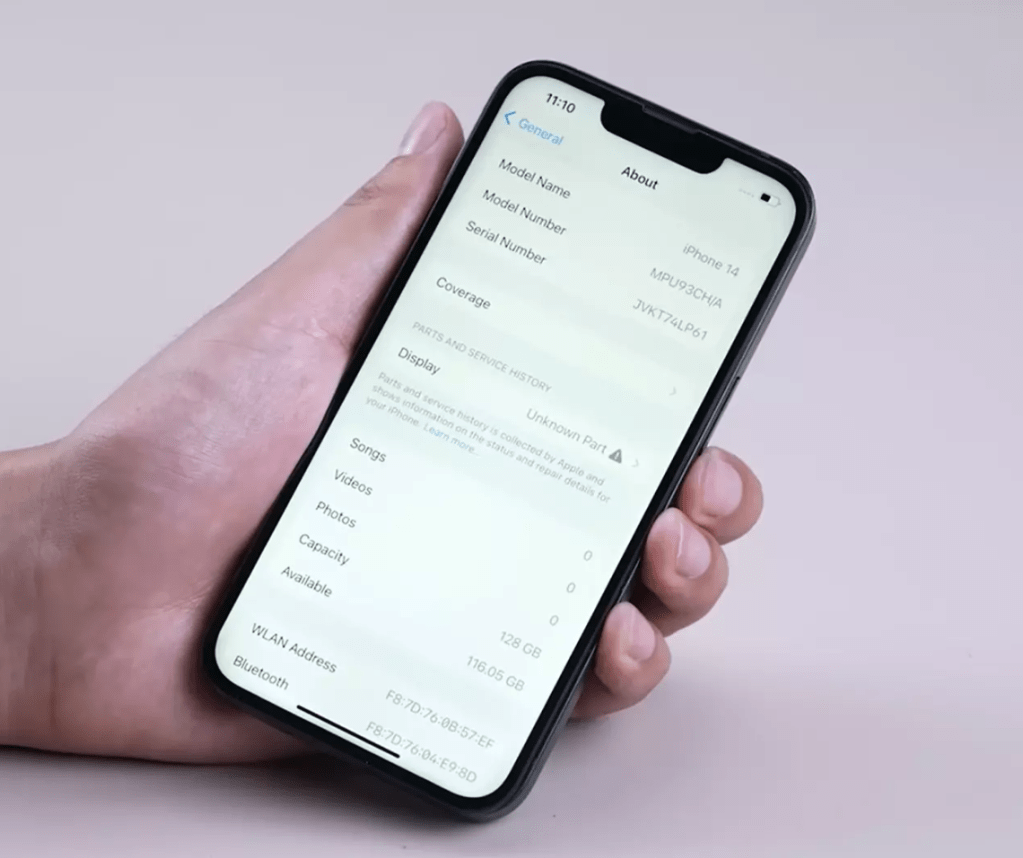
This article aims to provide a comprehensive guide on how to transplant the IC chip on your iPhone 14 to an aftermarket screen to eliminate the “unknown part” prompt. Regardless of your skill level, this guide can help you.
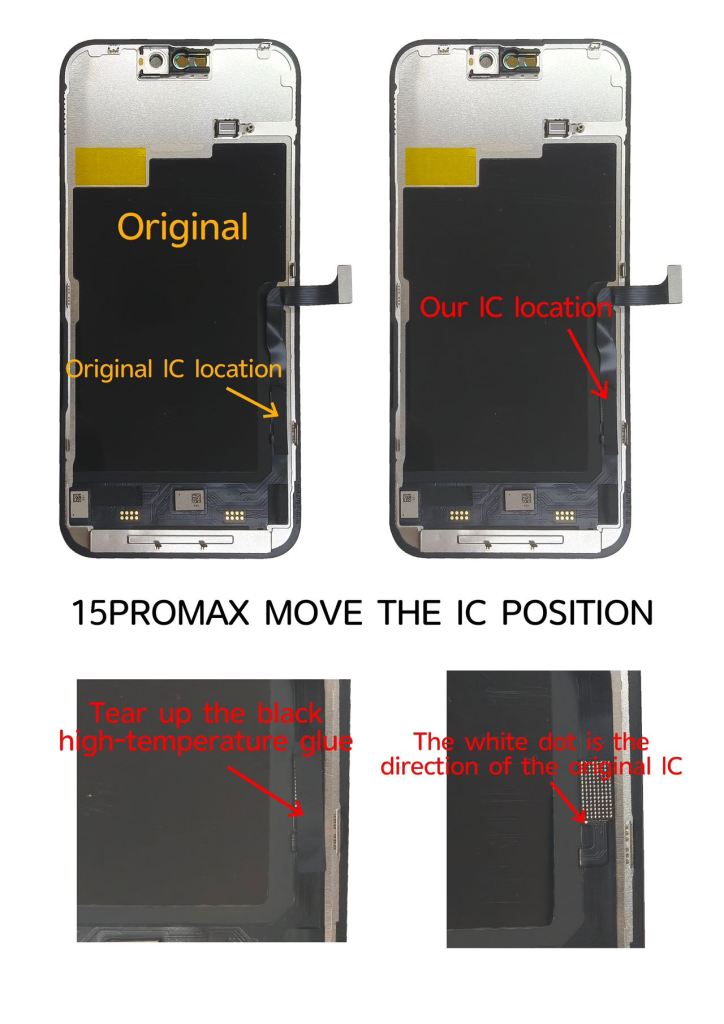
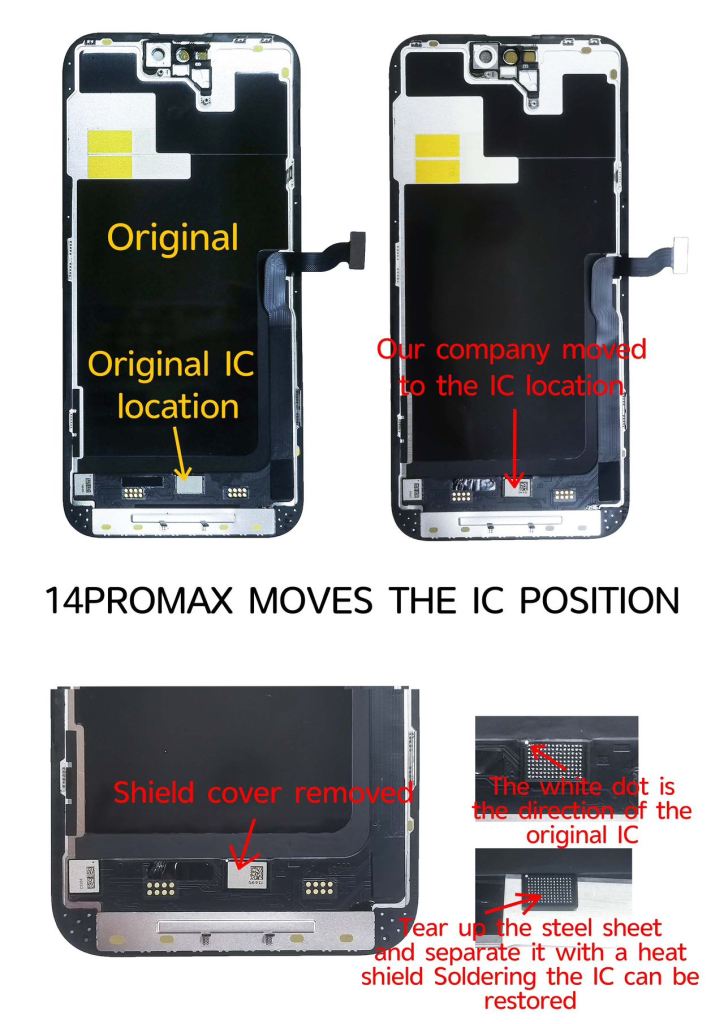
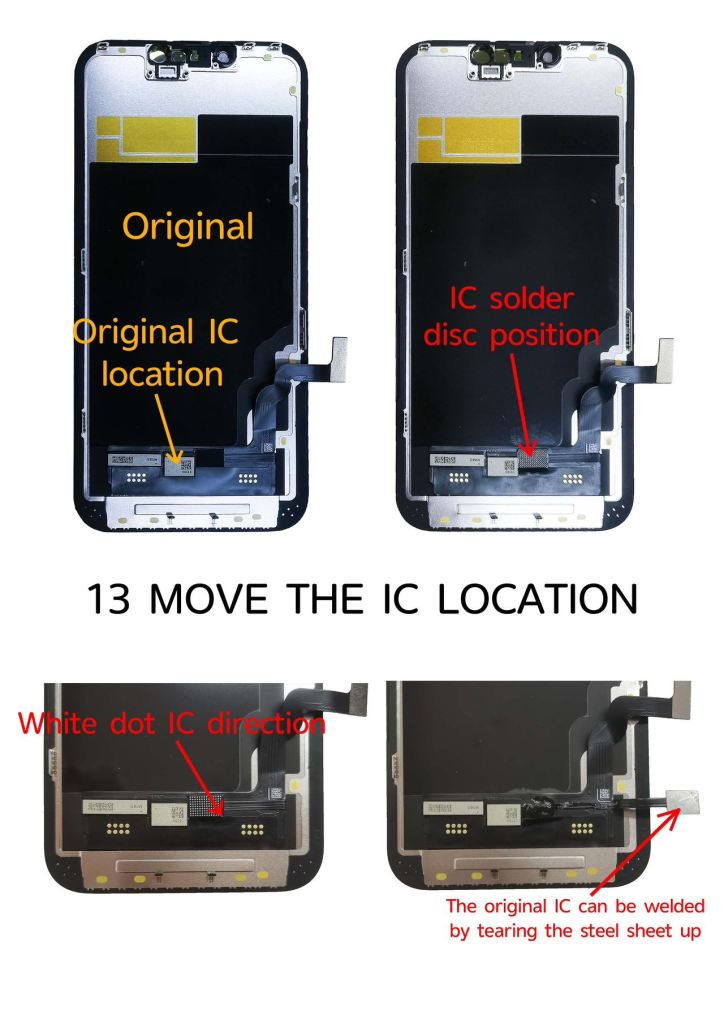
Note: The IC porting process for iPhone 12 and iPhone13 series is slightly different from that for iPhone 14 iPhone15 iPhone16.

Step 1: True Tone Restoration
The True Tone feature on the iPhone is very powerful, allowing users to customize the screen brightness and color with a simple slide, so that the screen matches the surrounding light perfectly. It also fine-tunes the color, and the image color matches more accurately, bringing a comfortable viewing experience.
It is crucial to restore the True Tone function before performing the screen IC transplant, because the aftermarket screen from the Chinese factory does not store this data itself.
You need to connect the original screen to the programmer, which is responsible for reading and storing the True Tone data. Once this is done, connect your new aftermarket screen, and the programmer will automatically send the True Tone data to the IMAX aftermarket screen.

Step 2: Handle unknown part messages
Once you have completed the steps to restore True Tone, the annoying “Unknown Parts” message may persist. You will now need to carefully remove the touch IC from the original screen, being careful not to damage it.
- Apply a proper amount of alcohol around the touch IC.
- Protect the screen with high temperature tape and insert a metal plate for heat insulation.
- Heat the IC with a 350°C hot air gun and desolder vertically for 6-8 seconds.
- Apply solder paste, flatten the pad, and clean it with PCB cleaner.
- Remove the adhesive with a hot air gun and re-ball the IC with medium temperature solder paste.
Step 3: IC Transplantation
When transferring the original IC to an IMAX aftermarket screen, the flexible circuit board that comes with the aftermarket screen must be used.
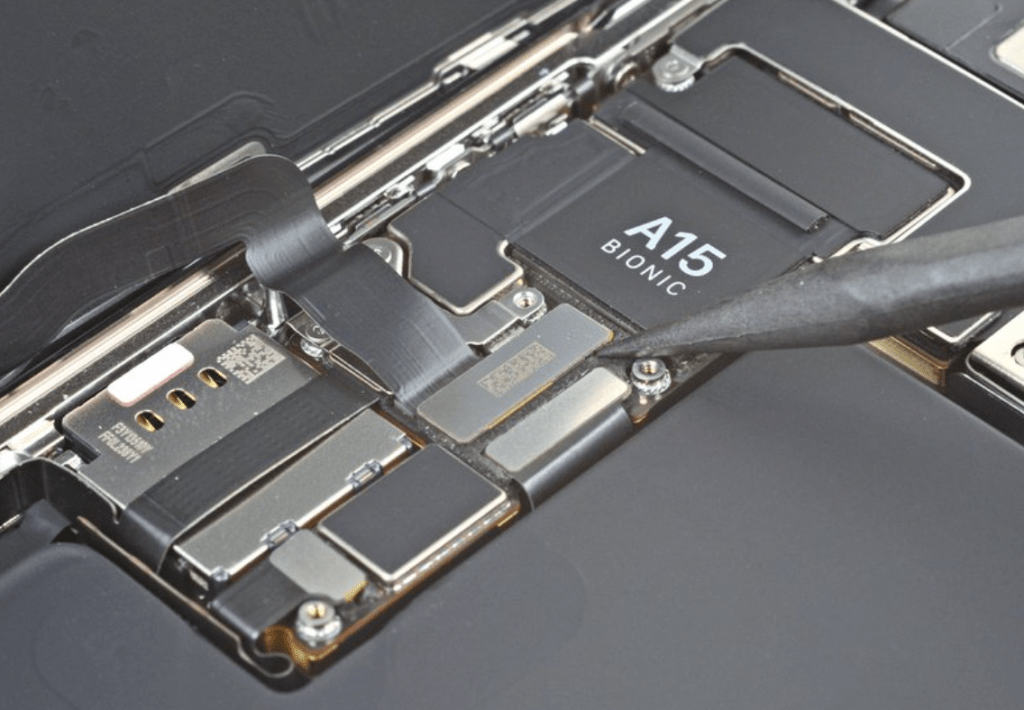
- Apply flux to the screen, remove solder paste and clean the pads.
- Align the IC with the IMAX screen and heat with a hot air gun for soldering.
- Remove the black masking tape on the screen and find the test points to solder with a soldering iron.
- Reapply the black masking tape to hide the test points.
Step 4: Finalization
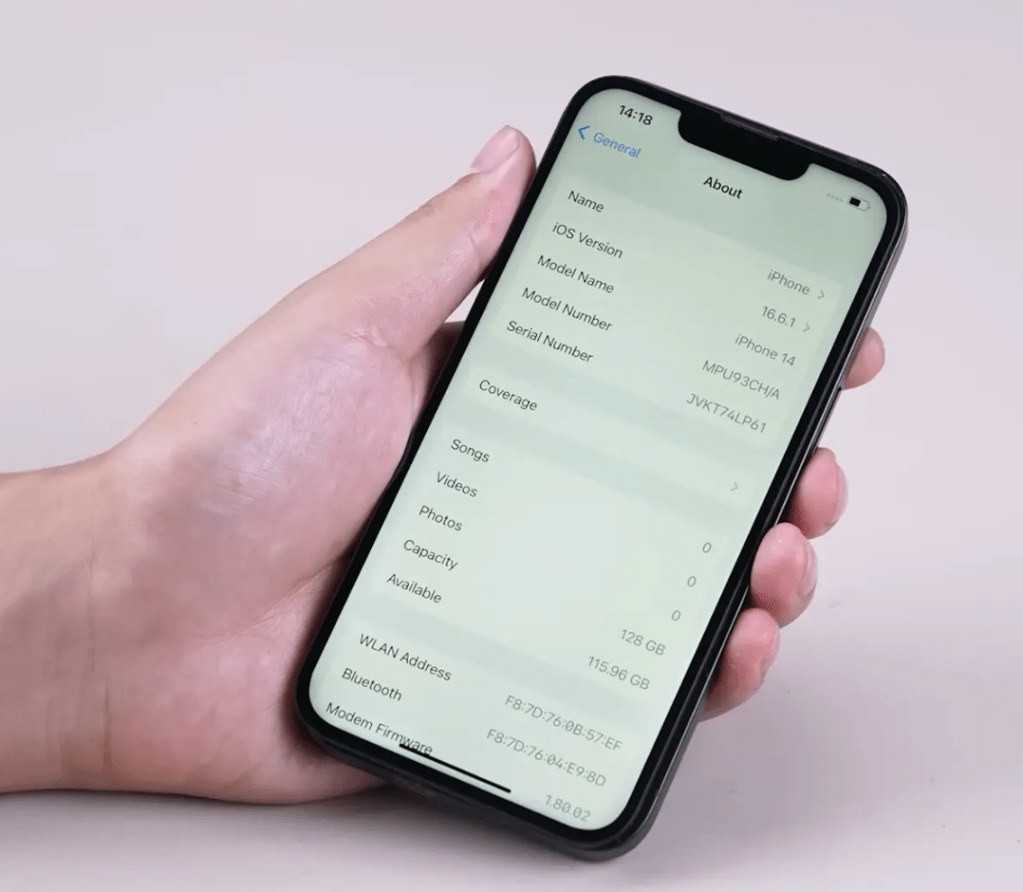
After replacing the perfectly new screen, it is now completely normal, including the original color display function, and the reminder of unknown information has been deleted.
Conclusion: A point that must be reminded
iPhone IC transplantation brings exciting results, but it is not without risks. This replacement process requires skill and precision, and there is a risk of damaging the screen. If necessary, you can seek advice from a professional repair master.
More repair experience sharing, we will always update.

 IMAX OLED
Leave a comment